
Iterum
Iterum is a private journal for iOS that runs completely on your device, with the option to sync your encrypted data to iCloud. No server, no account, and no analytics — everything happens inside secure iOS frameworks.
At a Glance
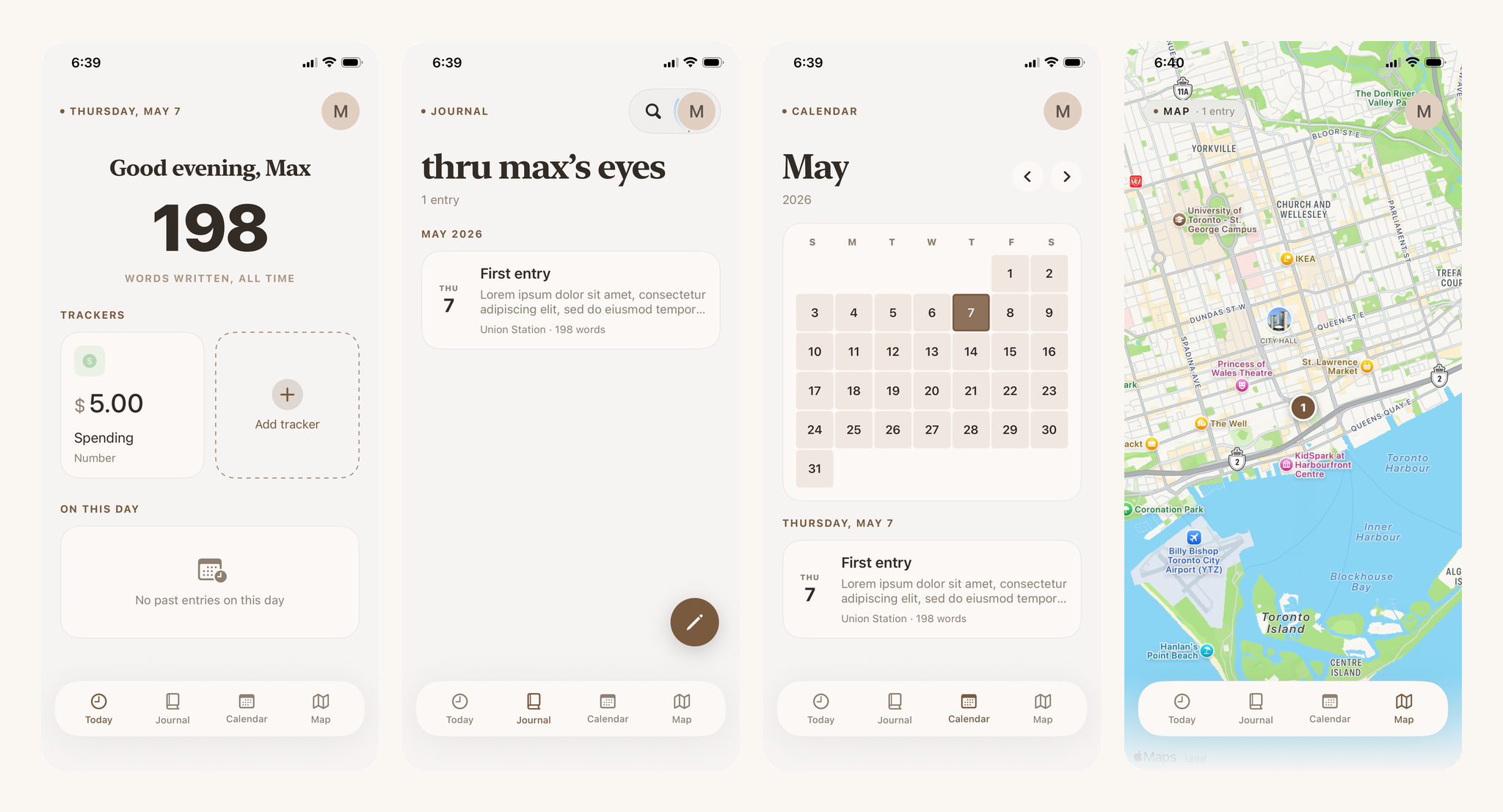
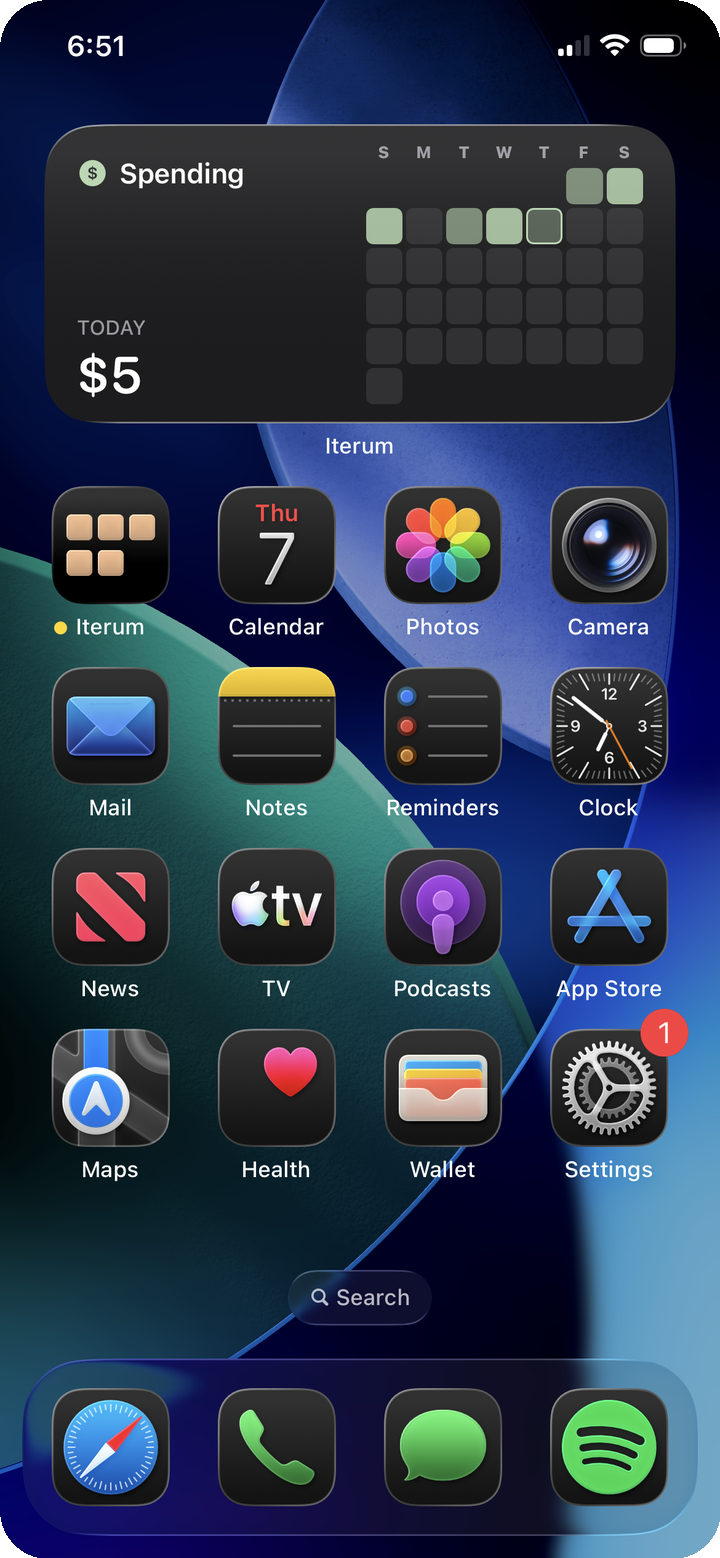
The main application has four tabs — Today, Journal, Calendar, Map — plus a rich text editor, onboarding, and a settings view. A separate widget extension renders a configurable month-grid tracker widget on the Home Screen, with interactive App Intents that let users toggle boolean trackers without opening the app. The two targets share a single SwiftData store through an App Group, and the app syncs that store to iCloud.
Built on Swift 5.9+, iOS 17+, and Xcode 15+, iPhone-only. The primary frameworks are SwiftUI, SwiftData, CloudKit, WidgetKit, App Intents, MapKit, WeatherKit, PhotosUI, Core Location, and User Notifications.
System Architecture
The codebase is organized as four layers, plus a parallel widget process that reads from the same on-disk store.
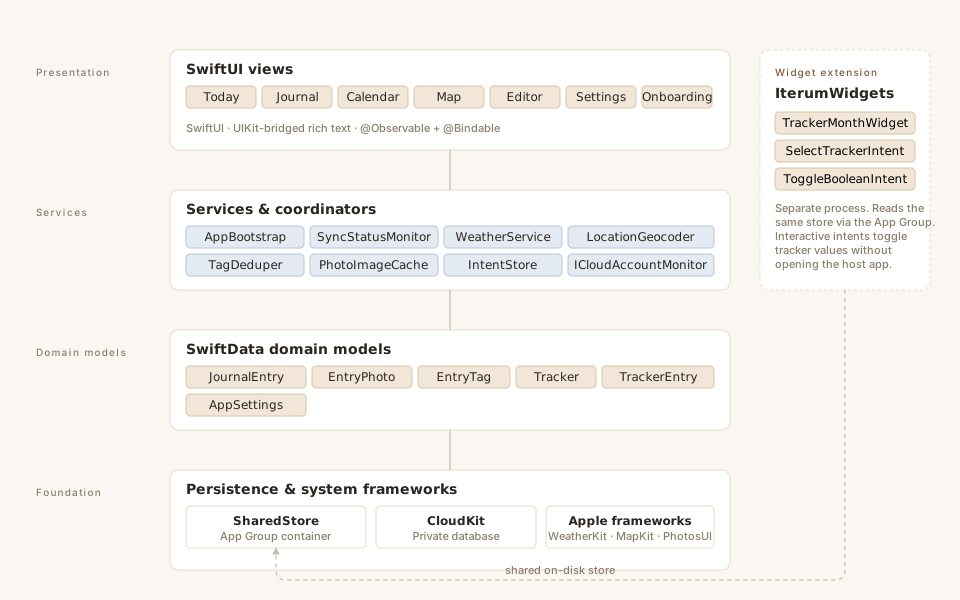
The presentation layer is SwiftUI from top to bottom, with a journal editor built on rich text. A clean, minimalist design lets entries be viewed as a list, a calendar, or a map.
The services layer is a small collection of helpers. AppBootstrap owns the application lifecycle and the SwiftData container. SyncStatusMonitor watches CloudKit, translating updates for the presentation layer to render directly. WeatherService is a thin async wrapper around WeatherKit with per-hour caching keyed by latitude, longitude, and time — implemented this way to stay inside Apple's WeatherKit quota. PhotoImageCache downscales photos into screen-scale UIImages on demand, so re-opening a photo-heavy entry doesn't load full-resolution data into the editor.
The domain model layer is six model classes all stored in SwiftData.
The foundation layer is SharedStore, which holds the schema and the CloudKit identifier in one place. Both the app target and the widget extension build their model container through SharedStore. The widget builds a non-CloudKit-attached variant — the host app is the only process that drives sync.
Data Model
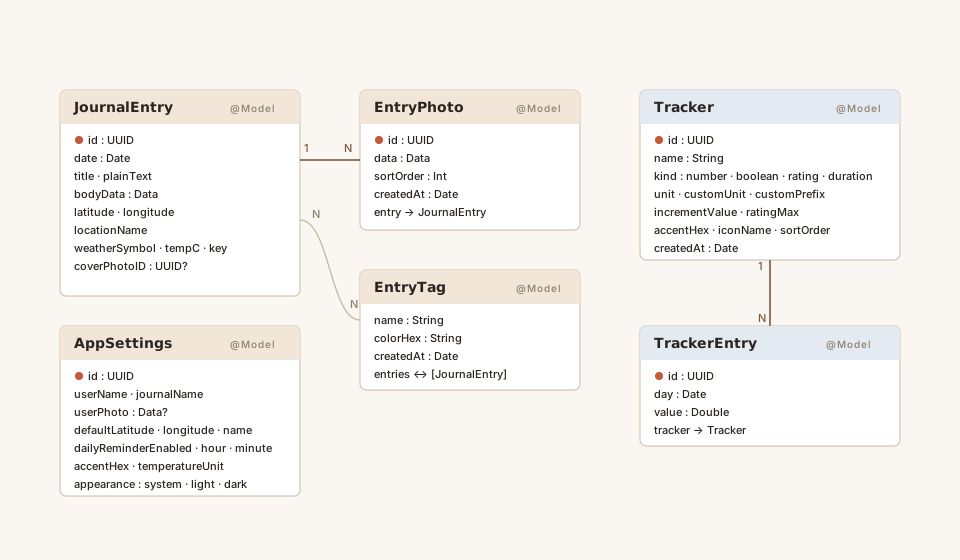
JournalEntry is the centerpiece. It carries a date, a title, a plain-text mirror of the body (used for full-text search and word counts), and an NSAttributedString for the rich body. The entry also caches a single weather observation keyed by location and hour — that key lets the weather service detect when an entry's location or date moves and re-fetch without blowing through WeatherKit quota.
Tracker is the most polymorphic type. It supports four kinds — number, boolean, rating, and duration — each with its own formatting and editor UI. The unit system is open-ended: seven canonical units (dollars, kilograms, etc.) or a custom case.
AppSettings is created on first launch. Storing it as a regular model row rather than UserDefaults keeps settings inside the same iCloud-synced container, so user preferences (accent color, journal name, reminder time, units) flow across devices alongside the journal data.
The UI
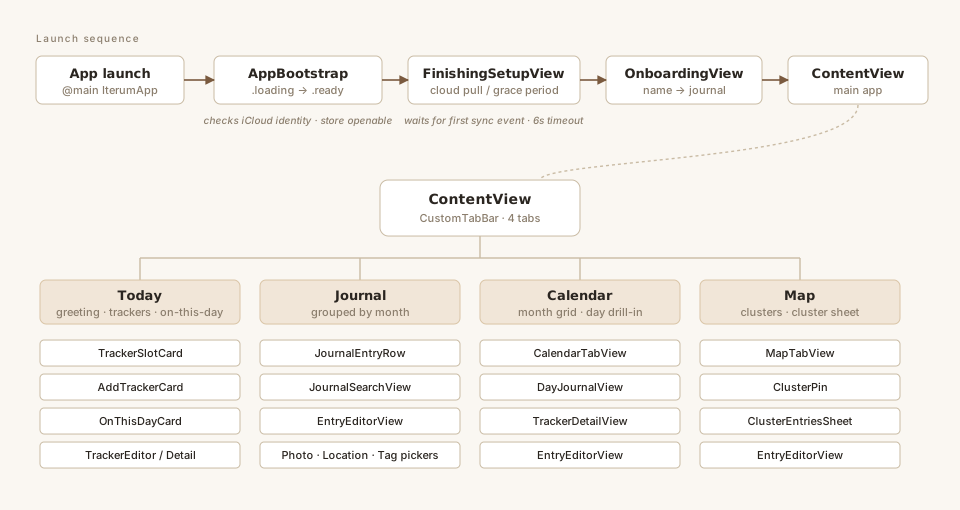
On first launch the user sees FinishingSetupView — a four-bullet animation that covers both the model-container open time on cold start and the first-launch CloudKit pull. Onboarding follows: a two-step form (name, then journal name) that only appears when those fields are empty.
After that, the app is a NavigationStack over a custom tab bar with four destinations.
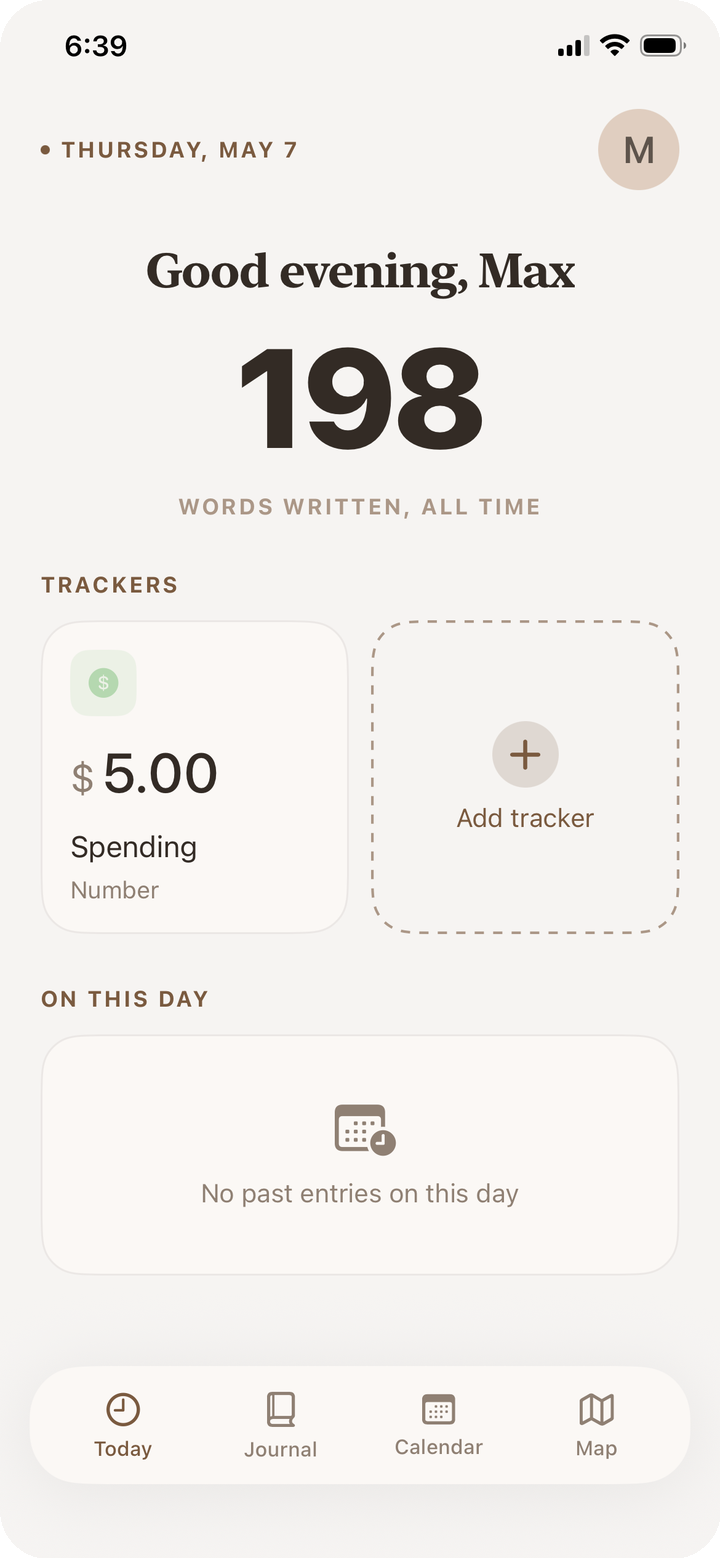
Today shows a time-aware greeting, the current day's tracker slots, and an "on this day" section that filters previous entries by date.
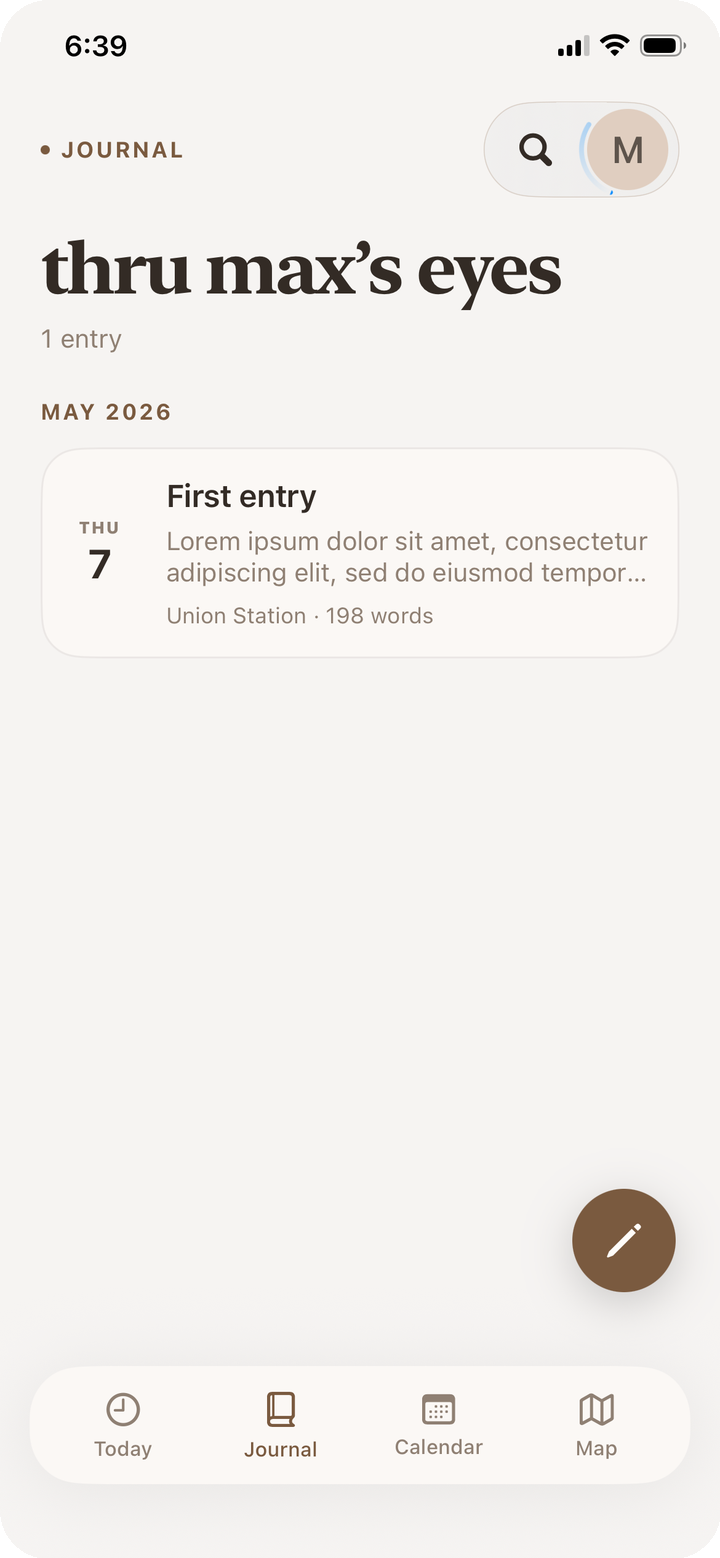
Journal is a chronological list grouped by month, with a button to add a new entry, swipe actions for tag and delete, and a search view.
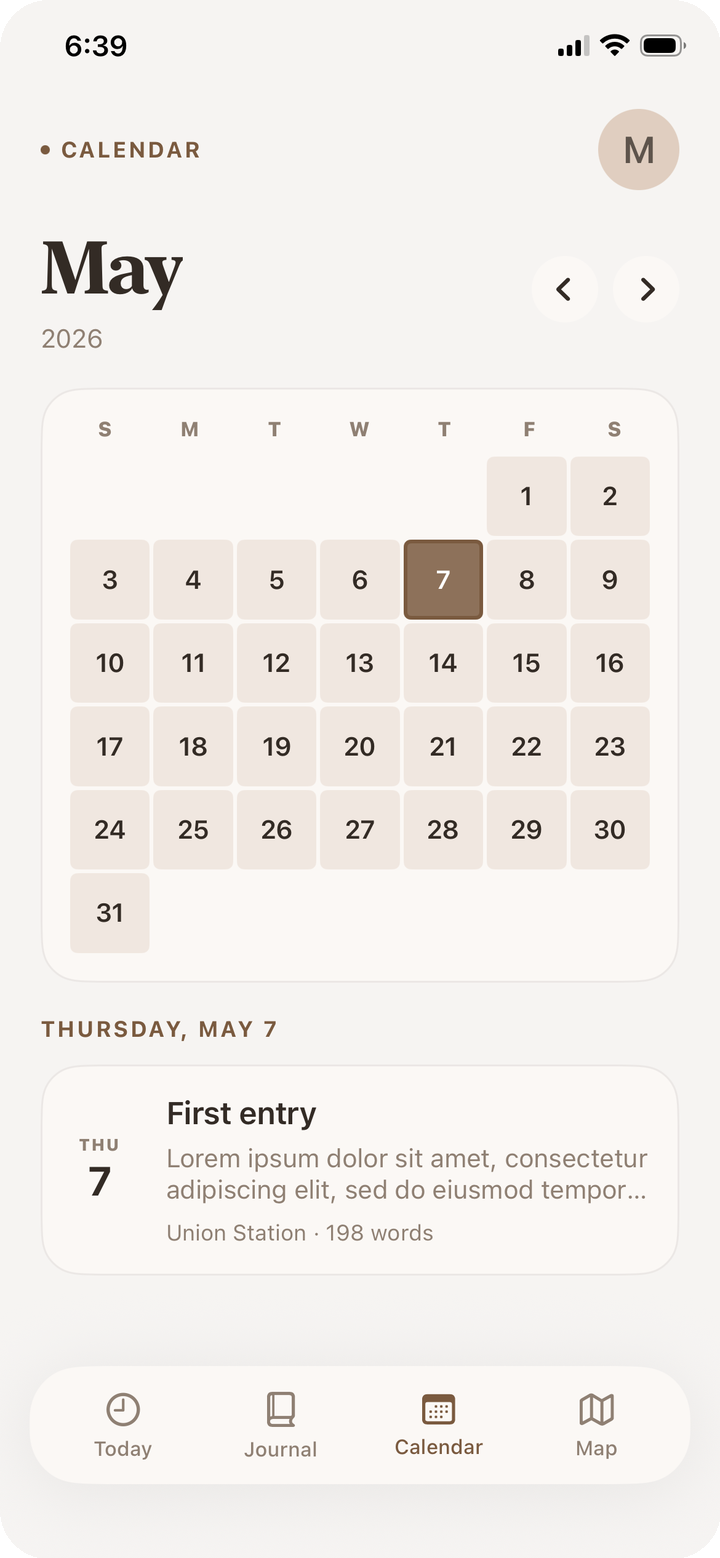
Calendar is a month grid that displays the selected cover image for each day's entry.
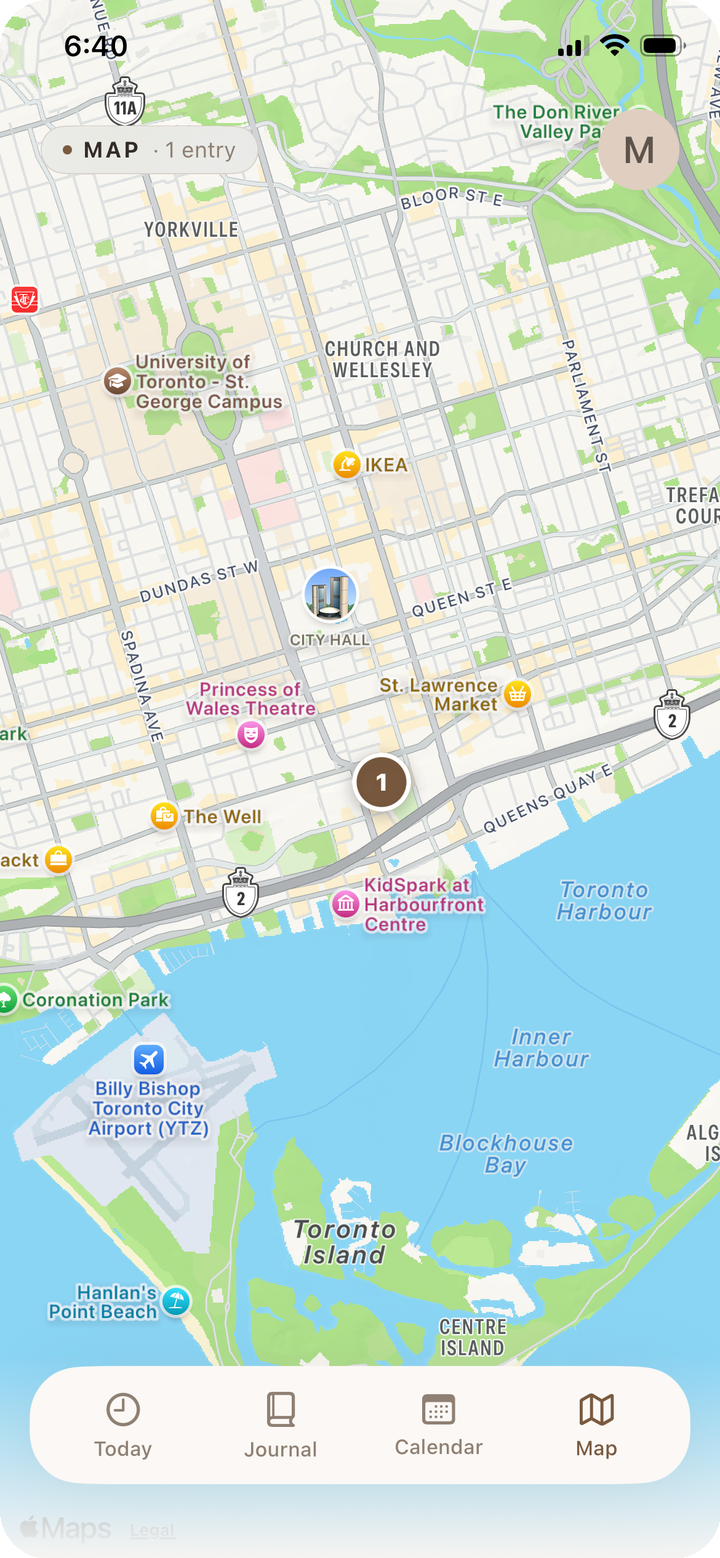
Map clusters geocoded entries based on the visible map rect, with the option to add an entry by long-pressing a location.
Theme
Almost every color in the app is derived from a single hex string the user picks in Settings. The theme is thought through carefully: the light variant pulls saturation down to give the warm-cream canvas Iterum's editorial feel; the dark variant pushes brightness down and bumps saturation back up to give a more modern look.
Widgets
The widget extension is a separate process. By default it can't see the host app's SwiftData store, so an App Group and a shared on-disk path bridge them.
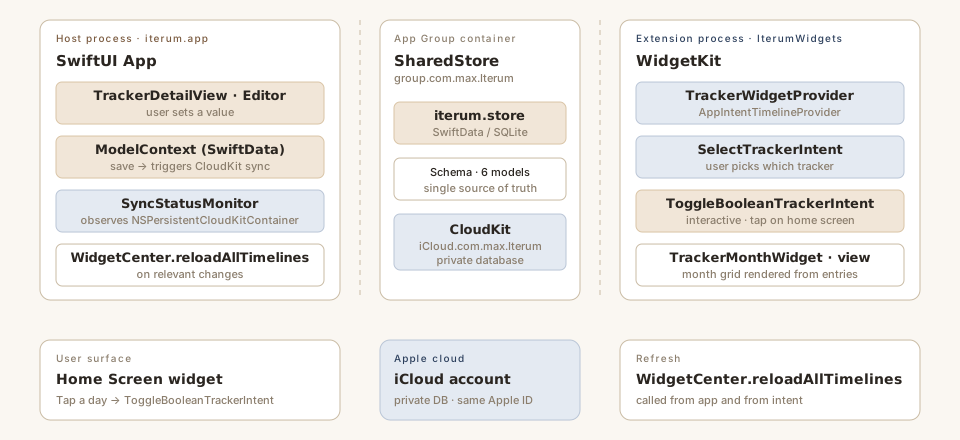
TrackerMonthWidget renders a month-grid view of any tracker the user picks. iOS 17 added interactive App Intents inside widgets, so boolean trackers can be toggled directly from the Home Screen: the intent opens a ModelContext against the shared container, flips today's value for the selected tracker, saves, and asks WidgetCenter to reload all timelines. The host app sees the new value on its next @Query snapshot.
The Editor
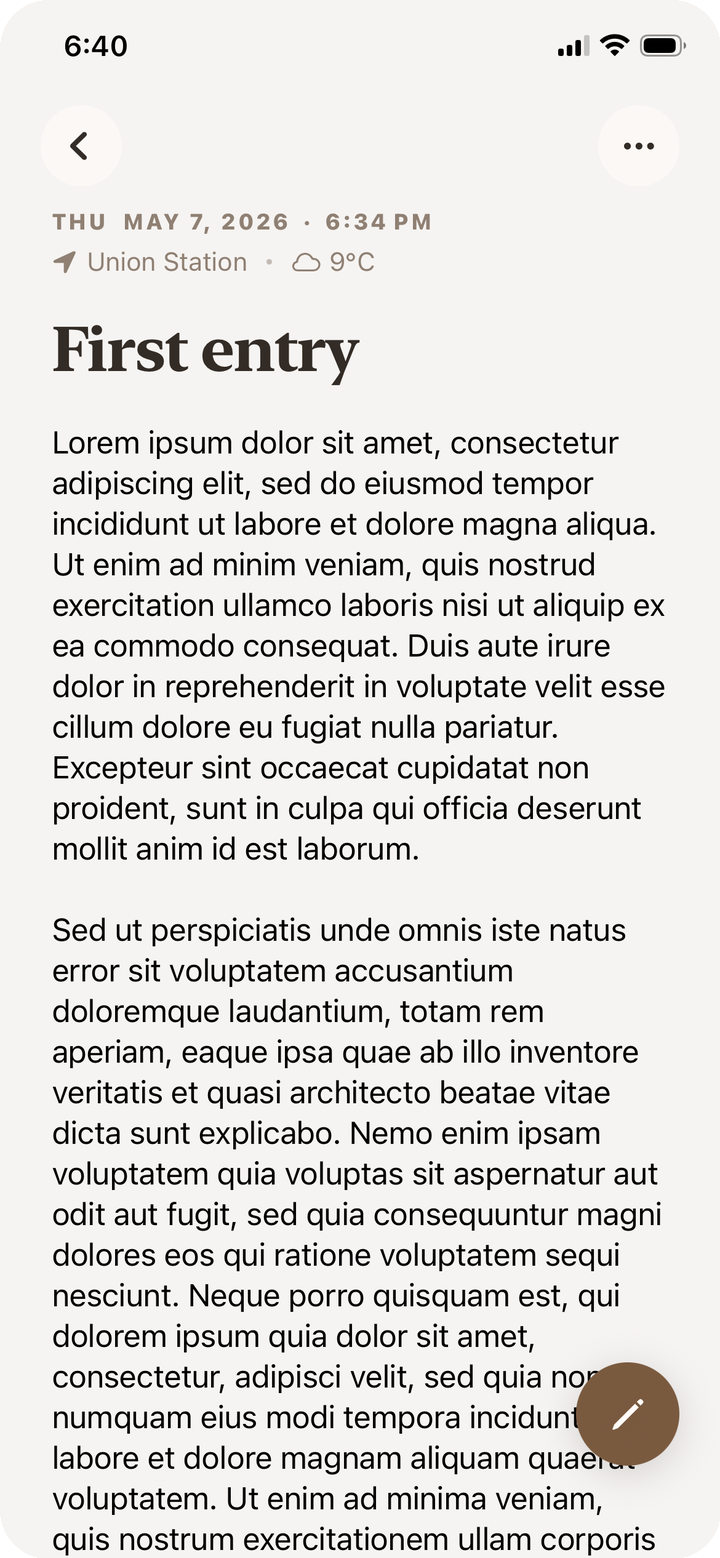
Aside from the visible features of the custom editor, some optimizations were made to improve user experience. Attached images aren't archived with the entry — instead, on open, rehydrateByWidth(...) walks the attributes, looks up each photo by its UUID, and uses PhotoImageCache.downsampleByWidth(...) to produce a screen-scale UIImage for the attachment. Photos live in their own external-storage entity rather than being embedded in the body, which means a journal entry's archived body stays small regardless of how many photos it contains. Rehydration is asynchronous, so opening a photo-heavy entry doesn't block rendering.
Closing
When starting this project, three constraints shaped how I went about building it: stay on-device by default, use only first-party Apple frameworks, and keep things simple so the overall feel is simple too. The result is a lightweight, aesthetic interface that's easy to navigate but with enough features to fully complete how a digital journal should feel.